
Kia Carens: Interior Trim / Front Pillar Trim Repair procedures
Kia Carens RP (2013-2018) Service Manual / Body (Interior and Exterior) / Interior Trim / Front Pillar Trim Repair procedures
| Replacement |
|

|

| 1. |
Remove the front pillar trim.
|
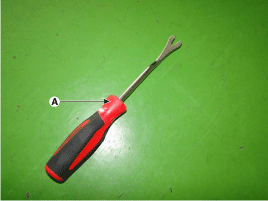
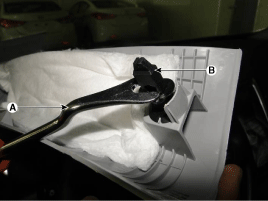
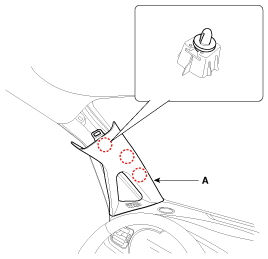
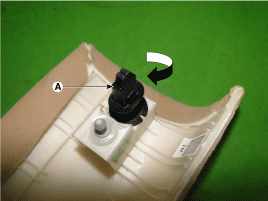
| 2. |
Install in the reverse order of removal.
|

 Front Pillar Trim Components and components location
Component Location
1. Front pillar trim
...
 Center Pillar Trim Components and components location
Component Location
1. Center pillar lower trim
2. Center pillar upper trim
...
Other information:
Kia Carens RP (2013-2018) Service Manual: Specifications
Specifications Items Specification Rated voltage DC 12V Operating voltage 9 - 16V Operating speed 15 - 250㎞/h Sensible distance 70 m (Sed ...
Kia Carens RP (2013-2018) Service Manual: Description and operation
Description The SMART KEY system is a system that allows the user to access and operate a vehicle in a very convenient way. To access the vehicle, no traditional key or remote control unit is needed. The user carries a SMART KEY FOB which does not require any conscious act ...
Copyright © www.kicaman.com 2015-2026
